1. Platform overview
Public homepage and unified sign-in for employers and candidates — no sales call required to explore the workspace.
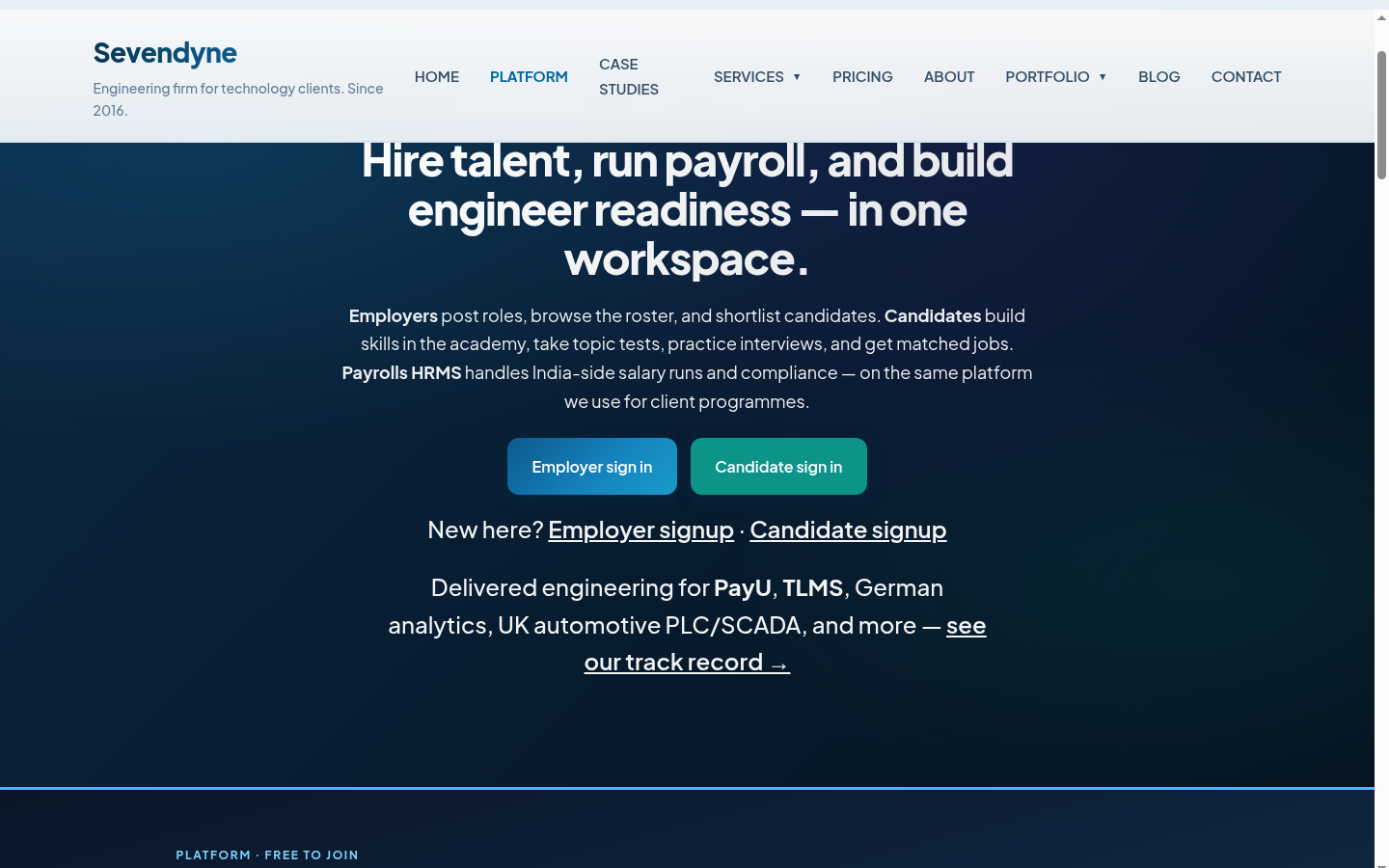
What the platform delivers
- Employer hiring workspace — post roles, browse anonymised roster, shortlist, interview pipeline, embedded Payrolls.
- Candidate career workspace — profile, readiness score, matched jobs, academy, topic tests, AI interview prep.
- Payrolls HRMS — India payroll runs, payslips, client invoices, statutory compliance (PF, ESIC, TDS, GST).
- Multi-client tenancy — platform admin (Sevendyne) and client employers (OVT, CSR, QUANTYF) each get isolated data.
2. Employer hiring workspace
Clients sign in once and manage the full hiring funnel — from roster browsing to Payrolls HRMS for placed staff.
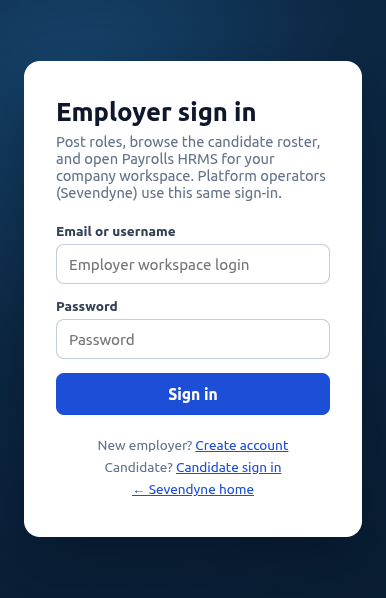
Sign-in & roles
- Separate employer vs candidate login pages with clear role routing.
- Platform admin sees full roster + Payrolls HRMS admin dashboard.
- Client employers see candidate roster + documents (invoices, payslips, reports).
- Sign-out returns to the matching login page with session cleared.
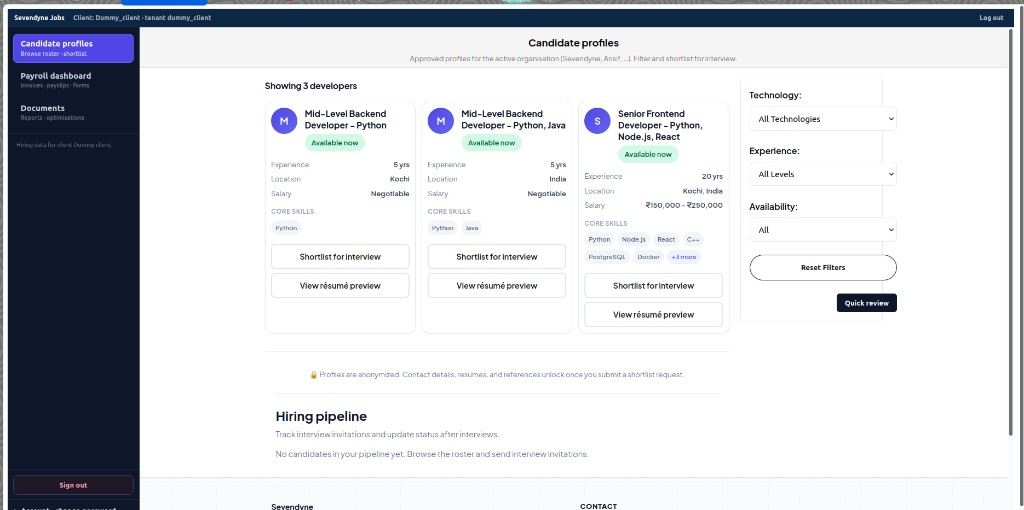
Candidate roster & pipeline
- Tile cards with skills, experience, location, salary band — contact details hidden until shortlist approved.
- Filters by technology, experience level, and availability.
- Shortlist for interview — authenticated employers send interview invites; candidates confirm via email link.
- Hiring pipeline — track status: invited → shortlisted → interview done → hired (payroll or external).
- Quick review mode for fast roster scanning.
- Platform admin can select and remove profiles from the database (roster cleanup).
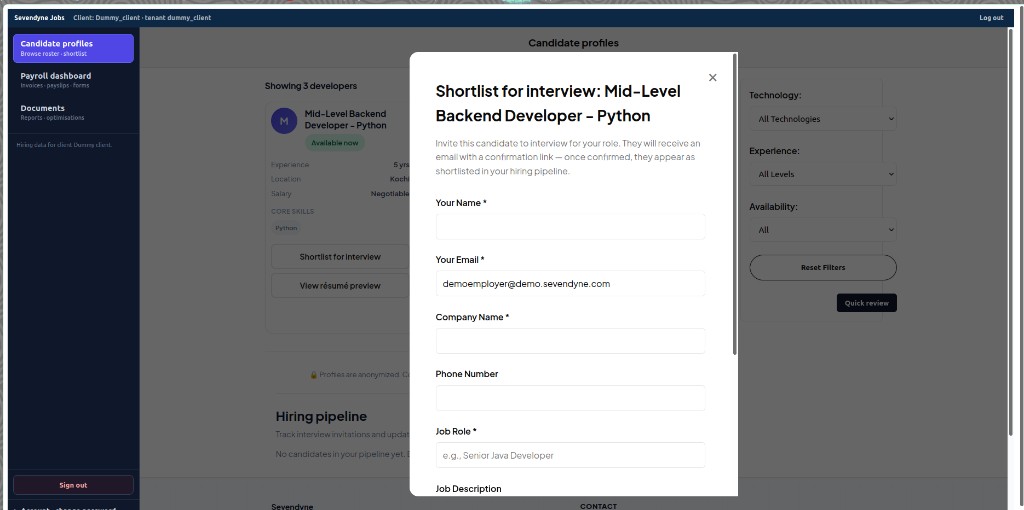
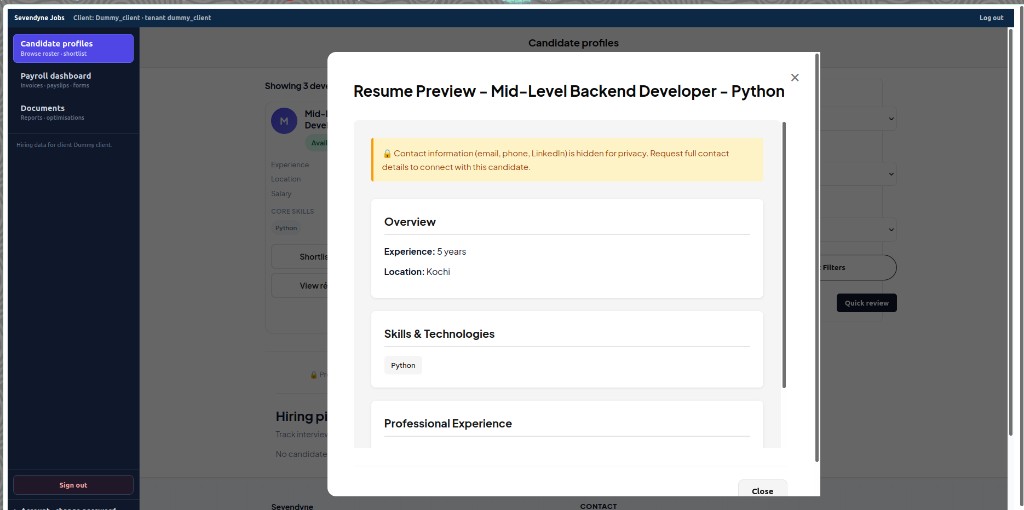
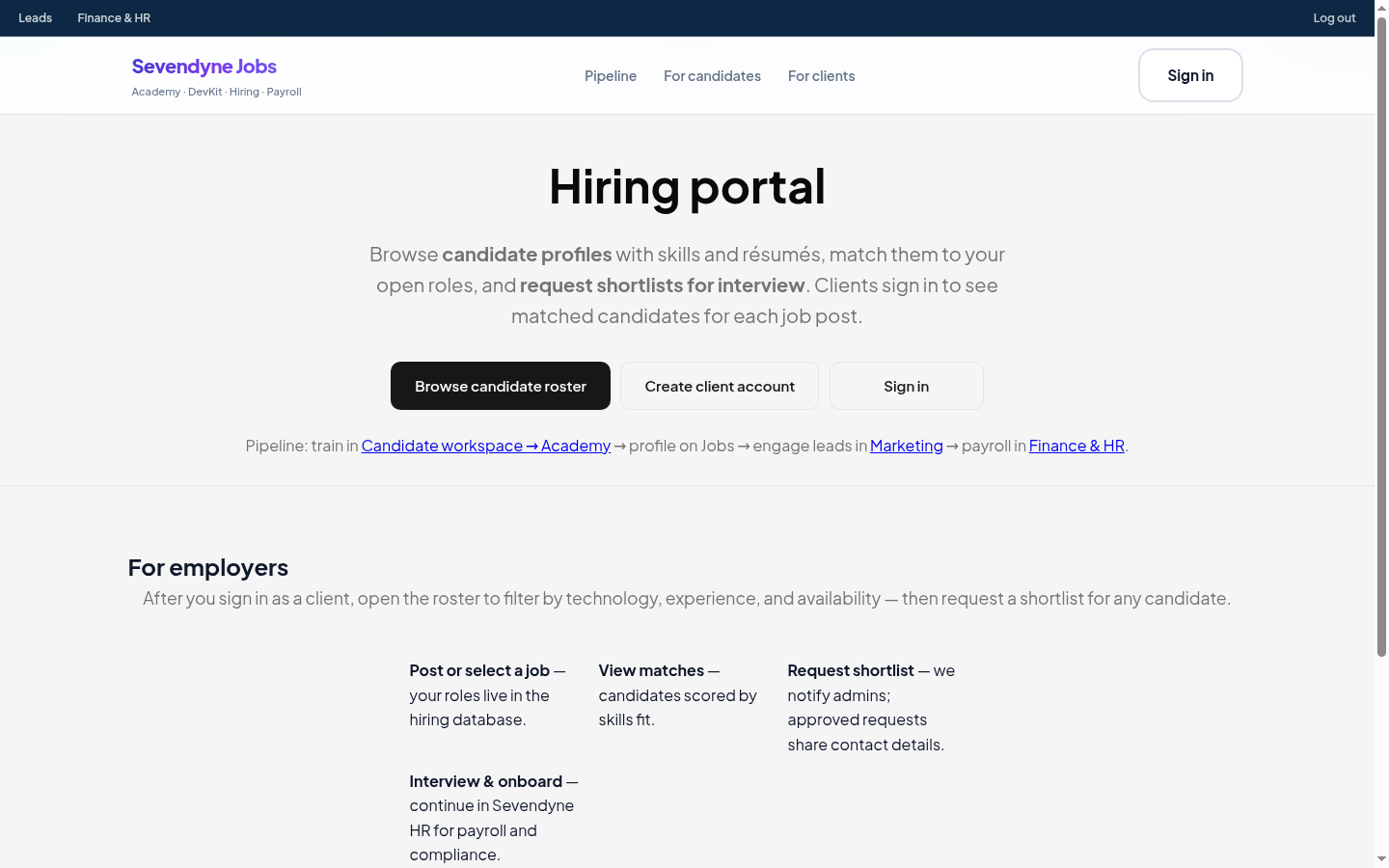
Public hiring portal
- Marketing-facing page explaining the employer journey.
- Links to roster browse, client signup, and candidate workspace.
- Redirects signed-in employers straight to the roster embed.
3. Candidate career workspace
Candidates maintain a client-ready profile, see matched employer roles, and train through embedded academy modules.
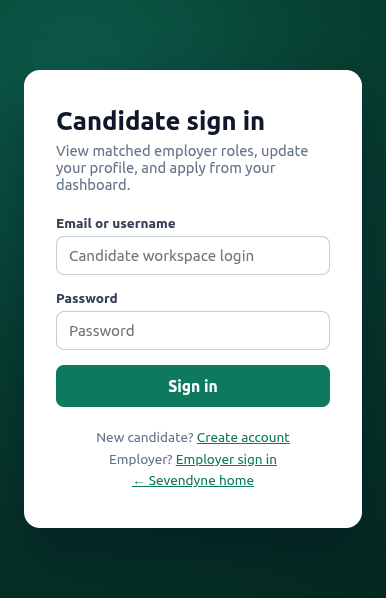
Candidate sign-in & onboarding
- Free join flow — résumé upload, skills extraction, workspace login created automatically.
- Profile appears on employer roster (anonymised until shortlist).
- Demo account:
candidate/candidate123
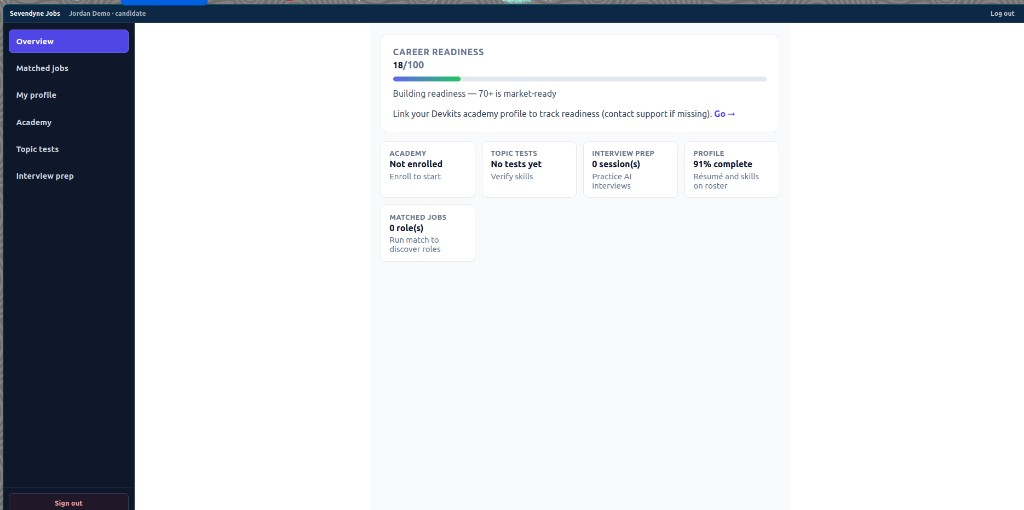
Dashboard modules
- Career readiness score (0–100) from academy progress, topic tests, interview scores, and profile completeness.
- Matched jobs — employer roles scored against candidate skills (placement engine).
- My profile — edit résumé, skills, location; updates employer roster in real time.
- Interview invitations — confirm slots from employer shortlists; in-app notifications.
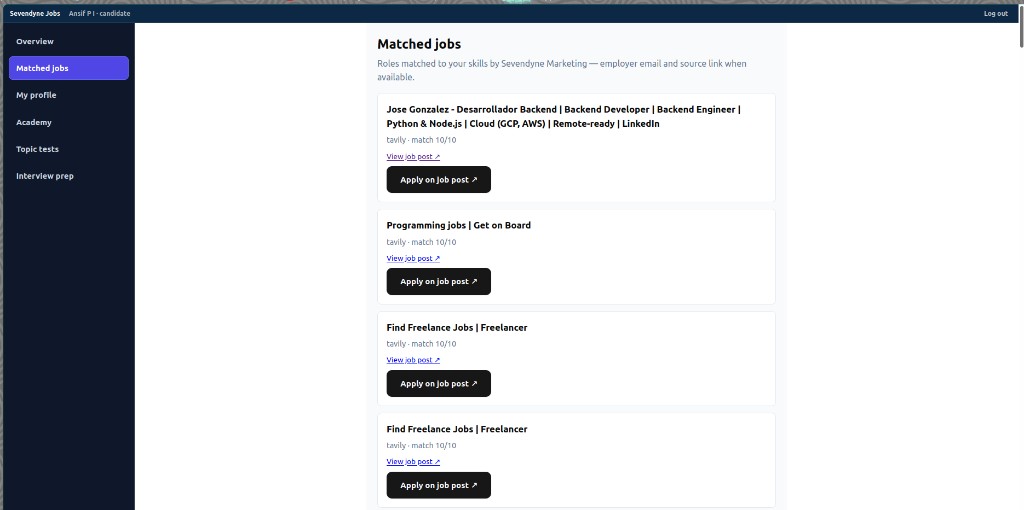
Matched jobs & applications
- Jobs pulled from employer posts and placement engine matches.
- Match percentage based on skills and experience fit.
- Apply directly from dashboard — employer notified via HR email.
4. Academy, topic tests & AI interview prep
Skills building embedded in the candidate workspace — progress feeds the readiness score visible to employers.
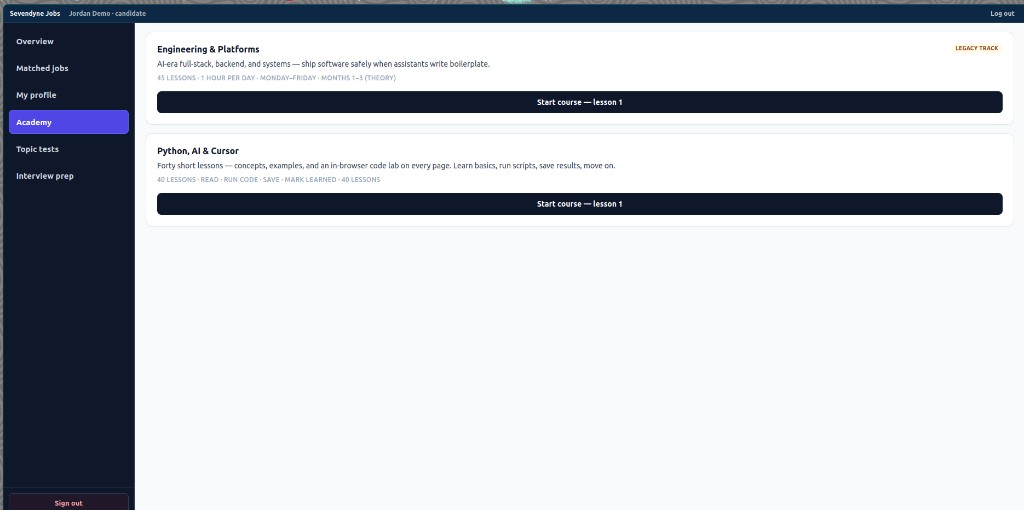
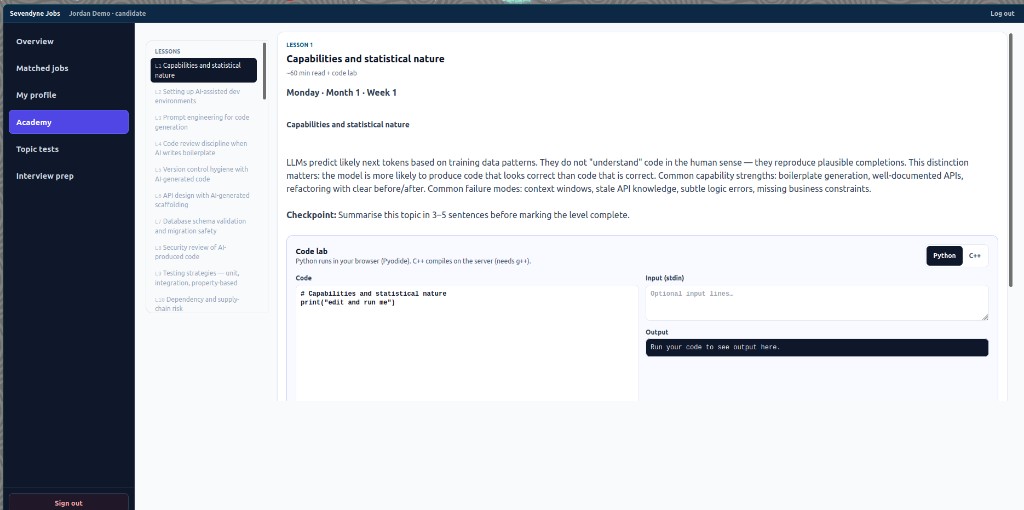
Academy (Devkits)
- Structured learning tracks with lesson progress tracked in SQLite.
- Topic tests with scored checkpoints per technology area.
- AI mock interviews with saved scores and feedback.
- Profile builder ties academy outcomes to the hiring roster.
5. Payrolls HRMS (India operations)
When employers hire through Sevendyne, staff onboarding flows into Payrolls — monthly runs, invoices, and statutory compliance.
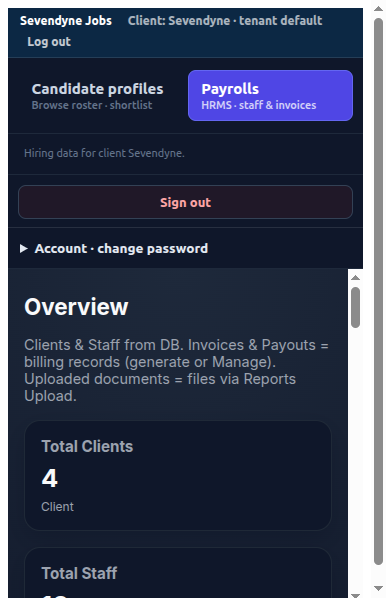
HRMS capabilities
- Client & staff records — multi-client payroll database per tenant.
- Monthly payroll runs — salary processing, payslips, reimbursements.
- Client invoicing — monthly billing generation, PDF invoices, email via hr@sevendyne.com.
- Statutory compliance — PF, ESIC, TDS, GST workflows on defined cadence.
- Employer documents portal — client employers (OVT, CSR, QUANTYF) download invoices and payslips without full HRMS access.
- Embedded in Jobs workspace — no second login when iframe auth is active.
6. Technical architecture
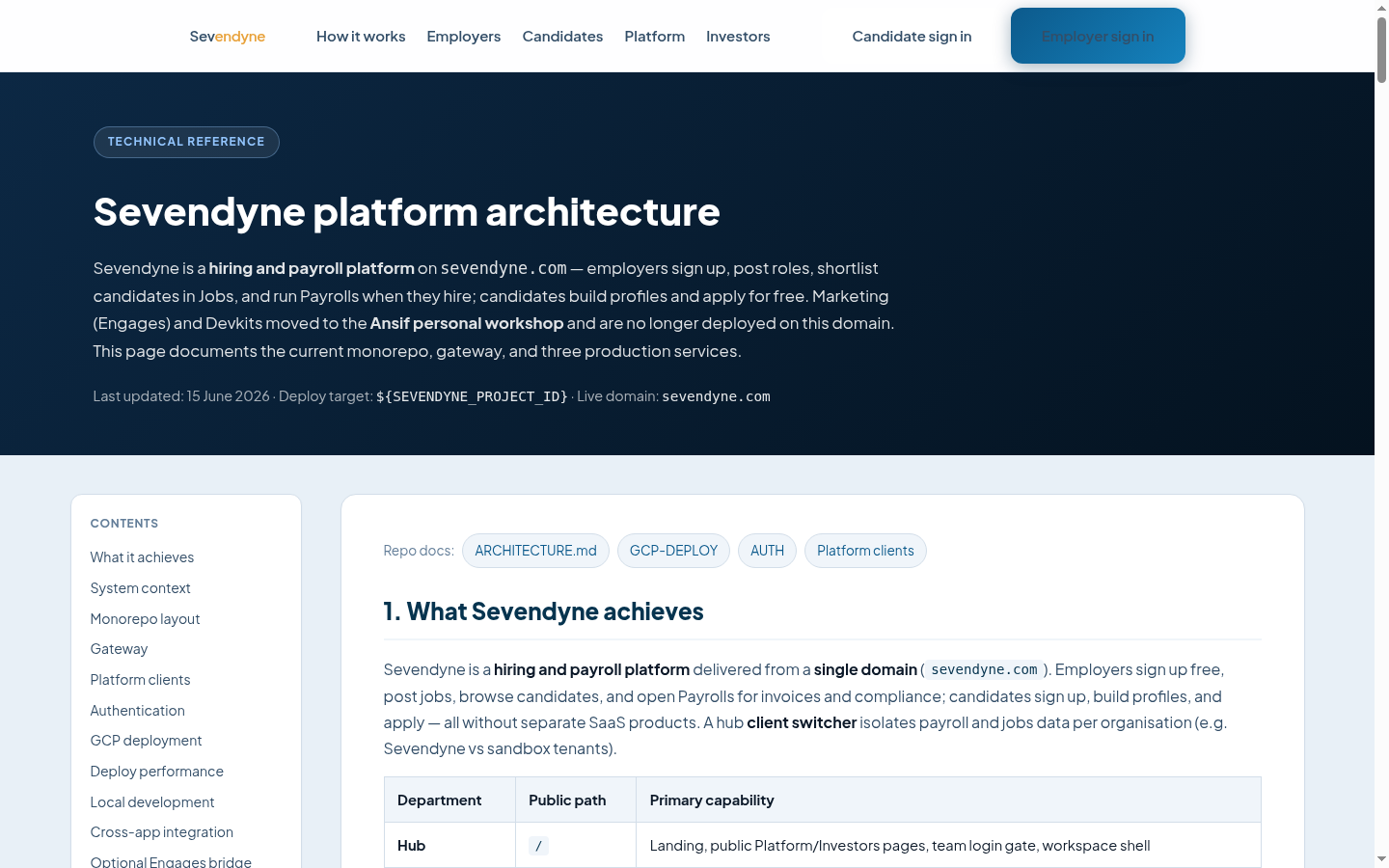
Single domain (sevendyne.com) with path-based routing to Cloud Run services — built for independent deploys and multi-tenant clients.
Production stack
- sevendyne-web — static hub + nginx gateway (
/hr/,/jobs/,/technical/). - sevendyne-jobs — Flask API + static Jobs portal (hiring, roster, pipeline).
- sevendyne-hr — Next.js shell + Django HRMS (Payrolls).
- sevendyne-technical — Devkits academy SPA.
- Data — SQLite per service, synced to GCS between Cloud Run revisions.
- Region — GCP asia-southeast1, project sevendyne-platform.
Who uses what
Role-based workspaces — each persona sees only the modules they need.
Platform admin (Sevendyne)
Full candidate roster with admin delete, Payrolls HRMS admin, monthly billing generation, all tenants.
Client employer (OVT, CSR, QUANTYF…)
Candidate roster, shortlists, interview pipeline, documents dashboard (invoices & payslips).
Candidate
Profile, readiness score, matched jobs, academy, tests, AI interview prep, invitation confirmations.
Investor / partner
This tour page, architecture doc, case studies, and live demo logins.
Commercial model (planned & live)
Employers join free; revenue on hiring outcomes and candidate subscriptions.
Employers
Browse roster, post jobs, shortlist, and use workspace tools at no subscription cost.
On hire: 15% of monthly salary while Sevendyne manages payroll, or ₹15,000 (~$180 USD) one-time direct hire.
Platform browsing, matching, and academy tools are free until you hire.
Candidates
15-day free trial from signup. Academy, topic tests, and interview prep after subscription (Workstream A — enforcement in progress).
Engineering services
Dedicated teams and project delivery for global clients — separate from platform SaaS pricing.
Live demo & next steps
Share this page with investors and clients. Use the demo logins below or schedule a walkthrough.
Demo logins
Employer sandbox: demoemployer / Demo123
Candidate sandbox: democandidate / Demo123